

 English
 Deutsch (German)
CFP Green Buildings
CFP Green Buildings develops tools that help real estate owners and investors understand how their buildings actually perform and where improvements have a measurable impact. Their Green Buildings Tool translates complex portfolio data into decisions that can be acted on across individual assets and at scale.
As the platform is used by a wide range of stakeholders, accessibility became a critical requirement rather than a compliance checkbox. CFP engaged Unravel to assess how the product performs for users who rely on assistive technologies and non-standard interaction patterns.
Audit Scope & Tools - What We Focused On
Instead of treating accessibility as a checklist, the audit concentrated on areas that directly affect usability in a data-heavy interface:
-
how information is perceived (contrast, scaling, clarity of visual hierarchy)
-
how the interface behaves without a mouse
-
whether key workflows remain understandable with screen readers
We reviewed both the frontend implementation and real interaction flows, not just isolated components.
Testing platform & toolset
MacOS & iOS
-
VoiceOver (screen reader)
-
Safari (primary browser)
-
Chrome (secondary browser, for code analysis and WAVE plugin usage)
-
Colour Contrast Analyzer (contrast verification tool)
Windows & Android
-
NVDA (Windows screen reader)
-
TalkBack (Android screen reader)
-
Chrome (primary browser)
How the audit was conducted
The assessment combined automated checks with manual testing, with a clear emphasis on real usage rather than tool output.
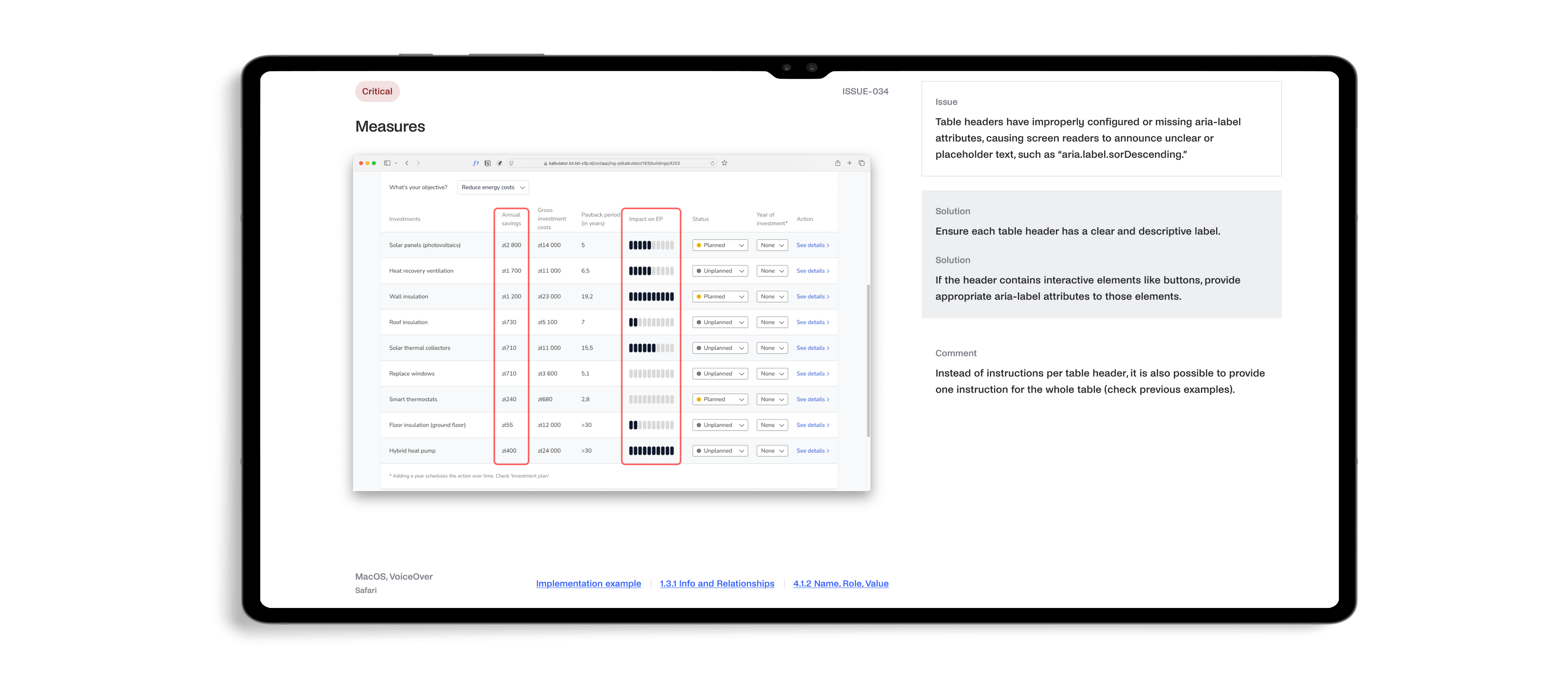
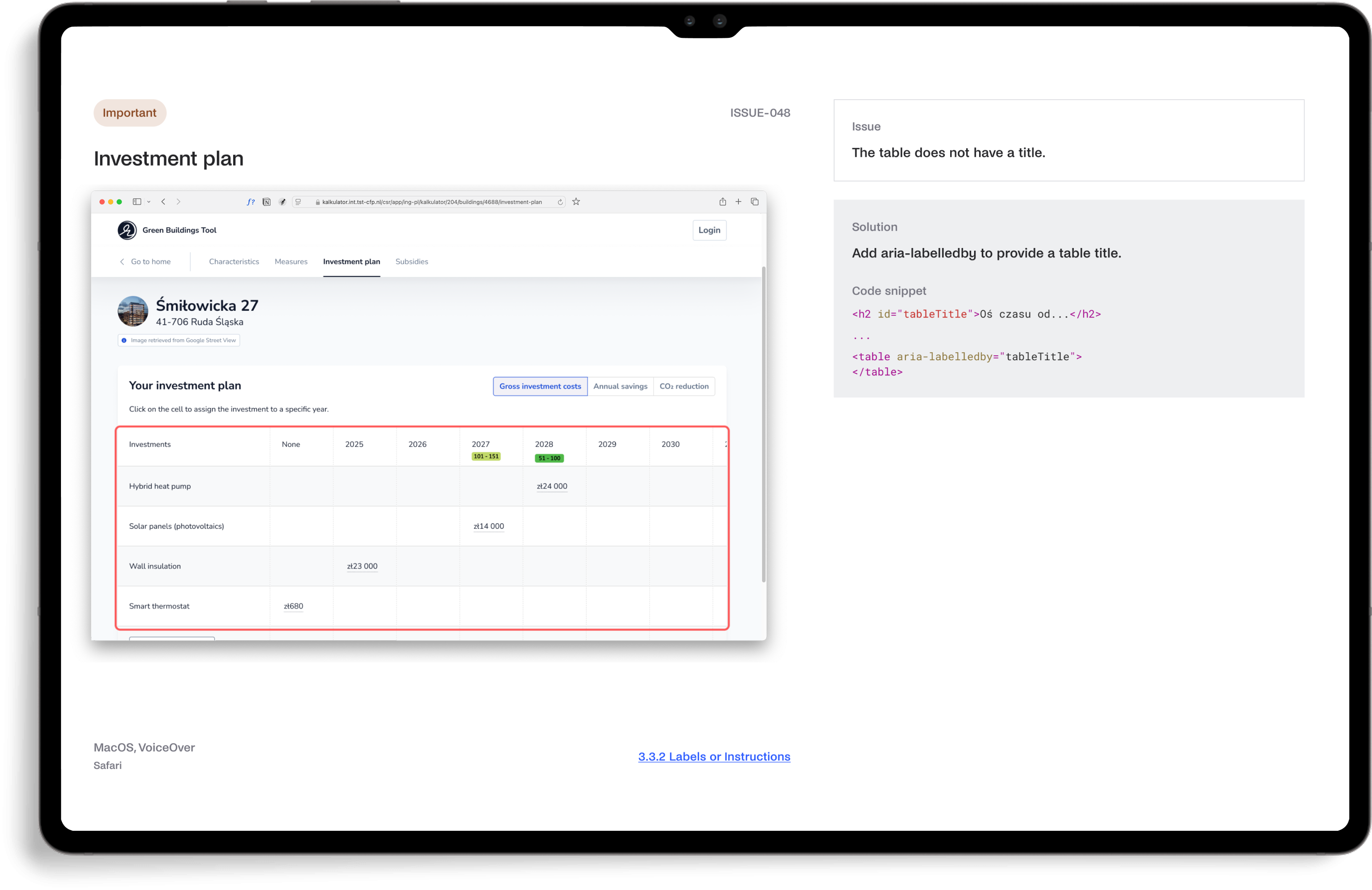
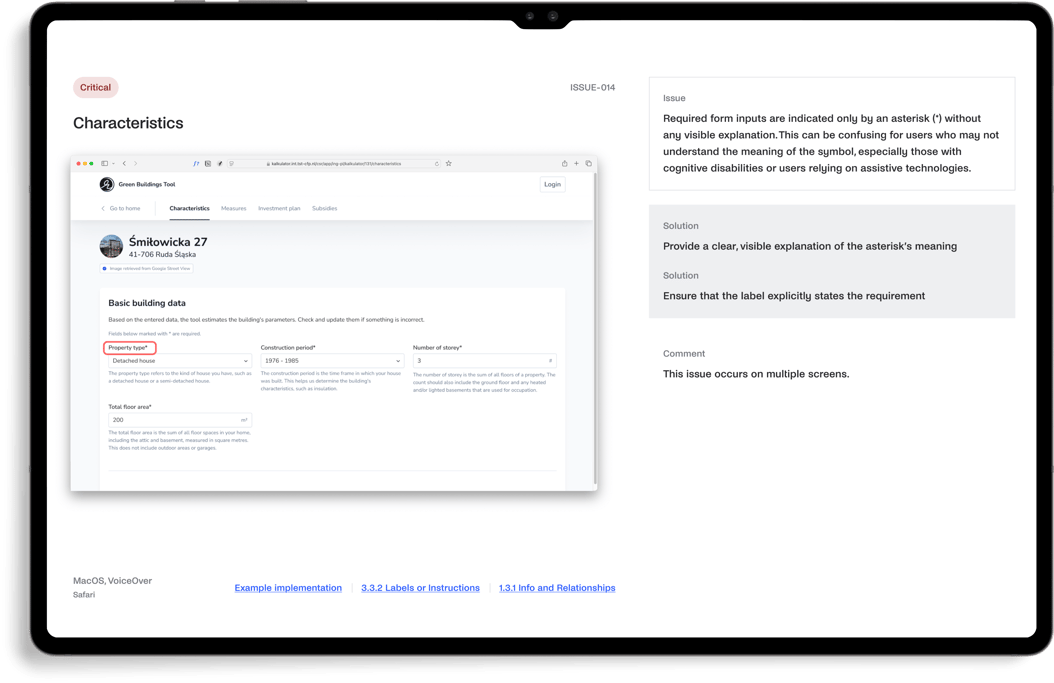
Screen reader testing was carried out using VoiceOver on macOS and NVDA on Windows to understand how the application is interpreted without visual context. This exposed gaps in structure, labeling, and navigation logic that are not visible in code alone.
Keyboard navigation was tested across core flows to verify focus order, state visibility, and interaction consistency. Particular attention was given to complex views where multiple data points compete for attention.
Color contrast and visual accessibility were reviewed across the interface, especially in data visualisations and dense UI areas where readability tends to degrade.
Automated analysis using WAVE supported the process, but only as a starting point. Each finding was validated manually to determine actual impact on users.
Testing was conducted across macOS, Windows, iOS, and Android environments using VoiceOver, NVDA, and TalkBack.
Outcome
The audit clarified where accessibility issues were superficial and where they affected real usage. The most relevant findings were related to navigation logic, screen reader interpretation of structured data, and consistency of interaction patterns across views. Addressing these areas improves not only compliance with WCAG, but also the overall usability of the product for all users.
The result is a platform that remains functional and understandable across different interaction modes, which is critical for tools used in professional decision-making contexts.
.jpg?width=1612&height=720&name=image%20(26).jpg)

.jpg?width=1612&height=720&name=image%20(23).jpg)
.jpg?width=1612&height=720&name=image%20(27).jpg)